FAQs
Written for Users Managers Administrators
The questions below come up most often about Opus Compliance Cloud. Many of them explain why the system behaves the way it does, as well as what to do about it.
Can't find your question?
If your question isn't covered here, get in touch and we'll be happy to help.
Getting around Opus Compliance Cloud
What does Override mean?
In some areas - such as checklists, roles and e-learning - you'll see an Override button where you might expect Edit. It appears when the item comes from a template managed at company level or by Opus centrally: clicking Override changes your local copy without affecting the original template.
If you're not sure whether to override, get in touch and we'll talk it through with you.
Warning
Overridden aspects no longer receive future changes made at a higher level. For example, if you override an e-learning schedule on an employee, later changes to that course's schedule at company level won't reach that employee's instance - though aspects you haven't overridden still update as normal.
How do I save pages as PDFs or print them?
Most pages include a print-friendly view for the times you need to give a copy of information to a third party. In Chrome or Edge, right-click on the page and select Print, then set the destination to Save as PDF.
Tasks
Task pages have an Export button that removes the system interface elements for a cleaner export, with options to exclude comments. See Exporting tasks for the full walkthrough.
Audits
Change the view to the most appropriate one before saving as a PDF.
Does Opus Compliance Cloud have a mobile app?
Not a traditional one - and that's deliberate. Opus Compliance Cloud uses responsive design: the site automatically adjusts to whatever device you're using, so you get full functionality on a phone, tablet, laptop or desktop without downloading anything. There is no separate "mobile version" with fewer features.
Why no native app?
For a compliance platform - where everyone must work from the same up-to-date checklists, policies and records - a downloadable app brings more drawbacks than benefits:
- One platform, one update. Fixes and features reach everyone the next time they log in - no app store approvals, no users stuck on old versions.
- No downloads, no storage, no permissions. Nothing for IT to approve or install across a fleet of company phones.
- Works on any device your team already has. New starter or lost phone? Just open a browser and log in.
- Better security. Updates roll out centrally, so no one is left running an outdated version with known vulnerabilities.
Offline working: what happens if you lose signal
Health and safety work often happens where coverage is poor - plant rooms, basements, remote sites. For checklists, Opus Compliance Cloud handles this for you:
- Start the checklist while you have a signal and you can carry on completing it offline.
- Your answers are saved locally on the device as you go.
- Back in signal, submit the checklist and everything syncs up.
Photos can't be added while offline
Attaching images needs a connection at the point you take or upload them. Heading somewhere with poor signal? Take the photos on your camera roll and add them once you're back online.
The Progressive Web App (PWA)
Opus Compliance Cloud can be installed as a Progressive Web App (PWA): an icon on your home screen or desktop and a clean, app-like full-screen view without browser clutter, with none of the downsides of a traditional app download. To install it:
- On mobile devices, an on-screen message prompts you to install Opus Compliance Cloud as an app.
- On desktop, the prompt varies by browser, but usually appears at the far right of the address bar.
Once installed, long-press (mobile and tablet) or right-click (desktop) the icon for handy shortcuts.
The PWA still needs an internet connection to log in and load - the offline checklist behaviour above applies once you're in - and there are no separate push notifications; those come through email and in-platform as usual.
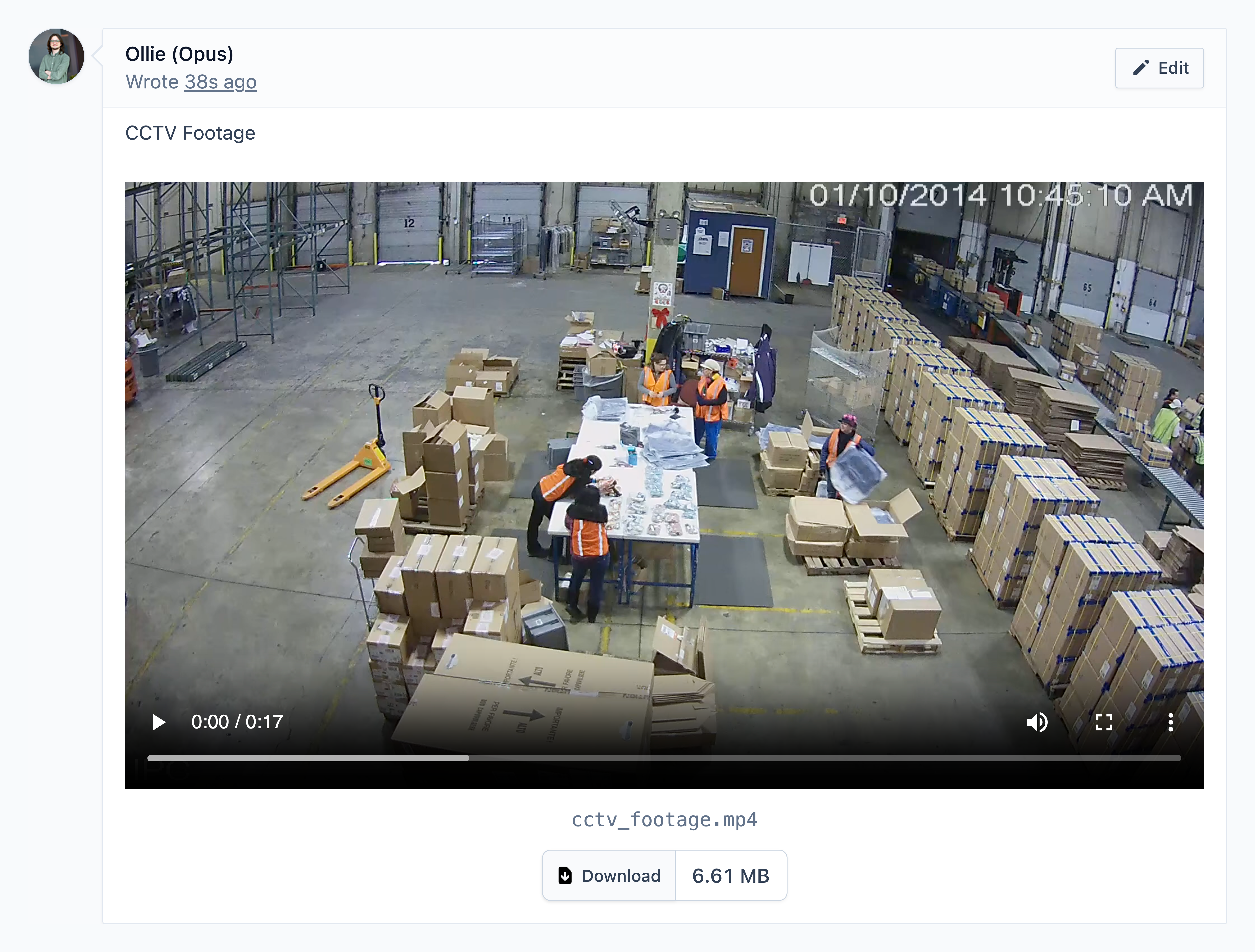
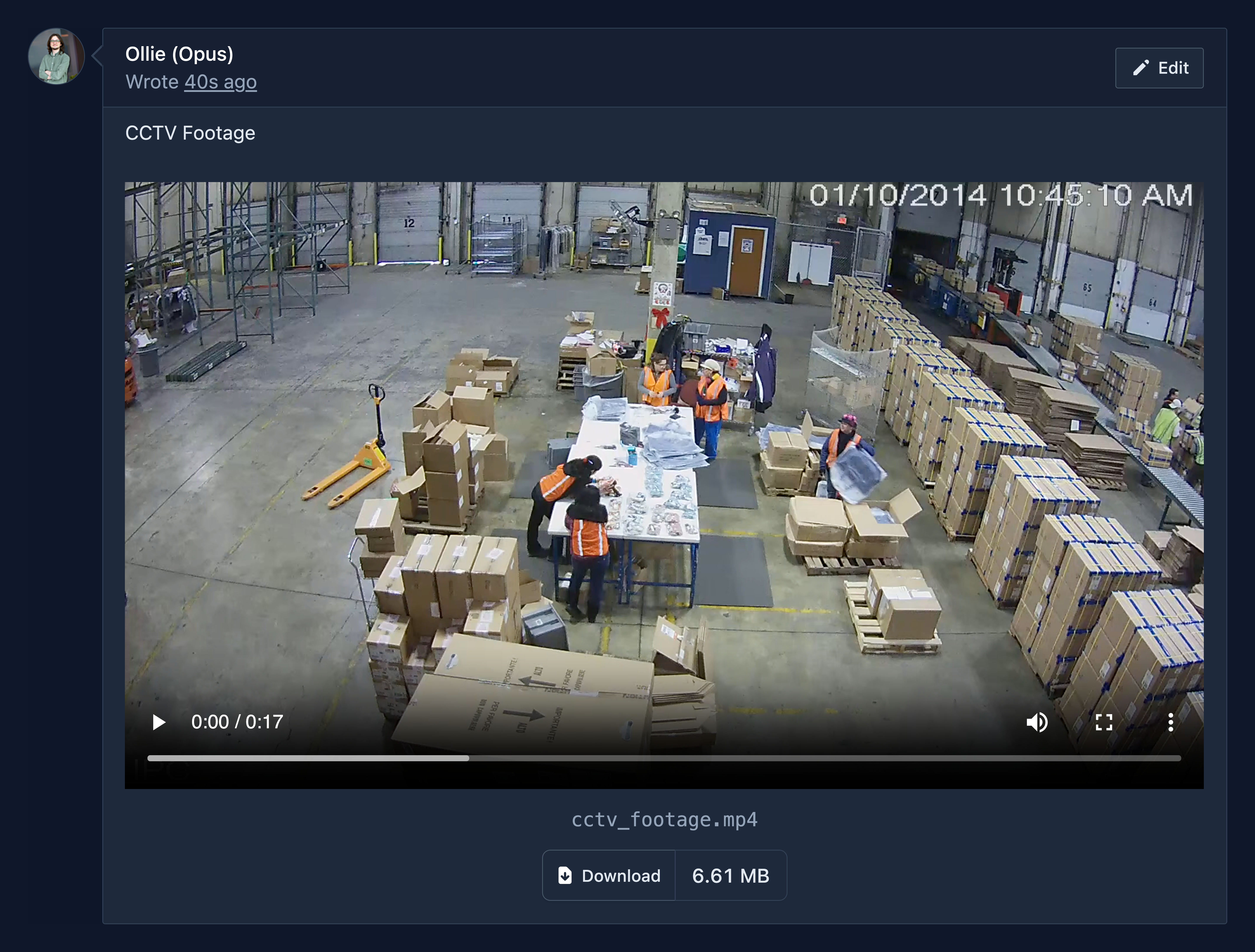
Why isn't my video or CCTV footage playing?
Some files exported from CCTV systems aren't fully compatible with the web, so they may look as though they should play but won't. For instance, footage in the h265 codec plays well on Microsoft Edge and mobile devices, but not on Chrome, due to licencing issues.
If you need footage reformatted into a compatible format, contact us for assistance.
Employees and accounts
How do I register employees who don't have company email addresses?
If any of your team members do not have a company email address, you have three main options to get them onto the system
Option A - Use temporary access
You can use the temporary access feature to give employees short-term, limited access to Opus Compliance Cloud without the need for an account.
Read more via the guide below:
Option B - Use other existing email addresses
Opus Compliance Cloud has been designed with the possibility of employee's using their personal email addresses. Alternatively, you could create a free personal account for them such as with Google Mail.
Option C - Use plus addressing
Plus addressing is a standard email feature that creates unique variants of one address by appending a plus symbol and some text or numbers. It's usually enabled by default, but your IT team may need to switch it on.
Step
Create a base email account, for example opususers@mycompany.com.
Step
Choose a standard format for the plus tag, such as firstname.surname or the payroll number.
Step
Ask each staff member to register with the modified address, for example opususers+tom.baverstock@mycompany.com or opususers+0675@mycompany.com.
Note
All emails, including password resets, are sent to the inbox of the base email address. Managers with access to that account can help with password resets if needed.
Why doesn't the system send welcome emails?
Registration links are sent by managers rather than by the system, for three reasons:
- Reliable delivery. System-generated emails can be flagged as spam or blocked by security filters, especially in bulk; a manager's own email reliably arrives.
- Personalised communication. Managers can wrap the registration link in a tailored welcome message with company-specific instructions - warmer than a generic system email.
- Control and flexibility. Managers choose the timing and the channel that suits their teams - email, instant messaging or another internal platform.
Read more on how to register employees via the guide below:
Why do an employee’s open corrective action tasks remain open after they leave?
Open employee corrective actions, such as those raised following Health Surveillance or DSE assessments, will not automatically resolve when an employee is archived. These actions will remain open and must be manually resolved for the following reasons:
- Maintaining a clear evidence trail: This ensures there is a complete record of any outstanding issues and follow-up actions should they need to be reviewed after the employee has left, which is particularly important in the case of contentious leavers.
- Identifying wider trends: Corrective actions may contain information that contributes to broader trends or recurring issues across the existing workforce.
- Informative on working environment: Corrective actions may indicate potential issues with the workplace environment that could affect other employees and may require further investigation or action.
Why aren't Microsoft email addresses receiving Opus emails?
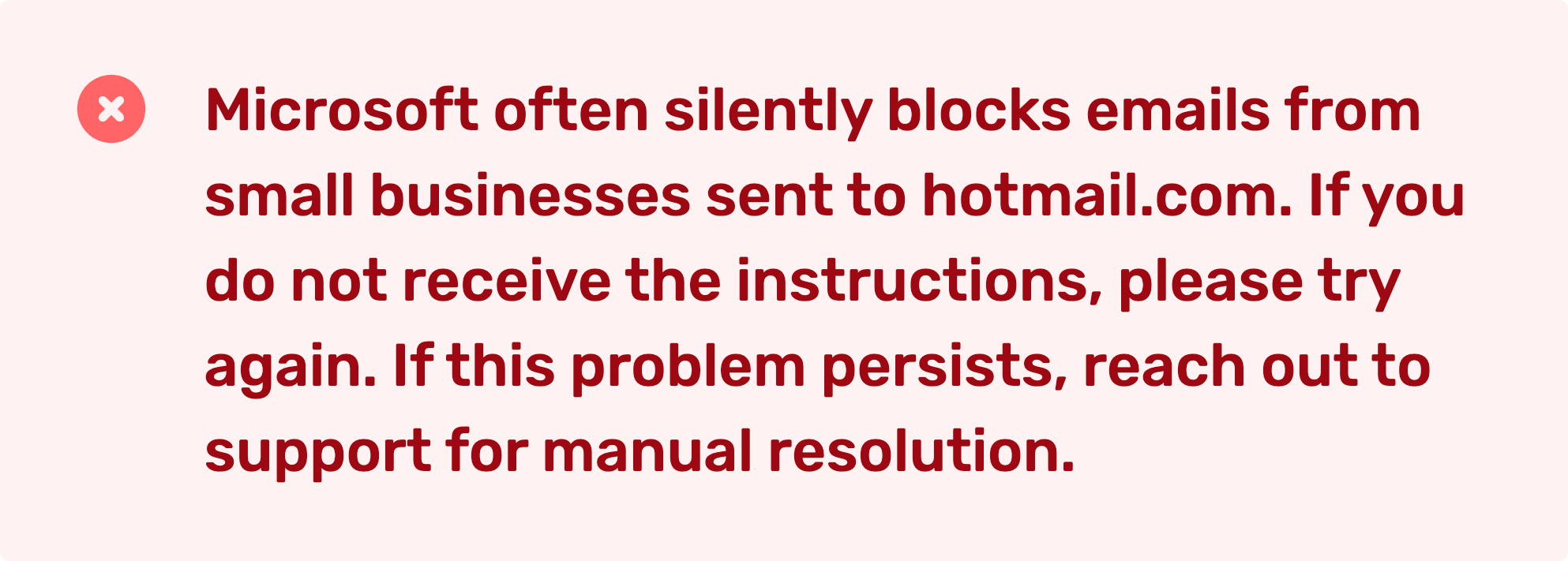
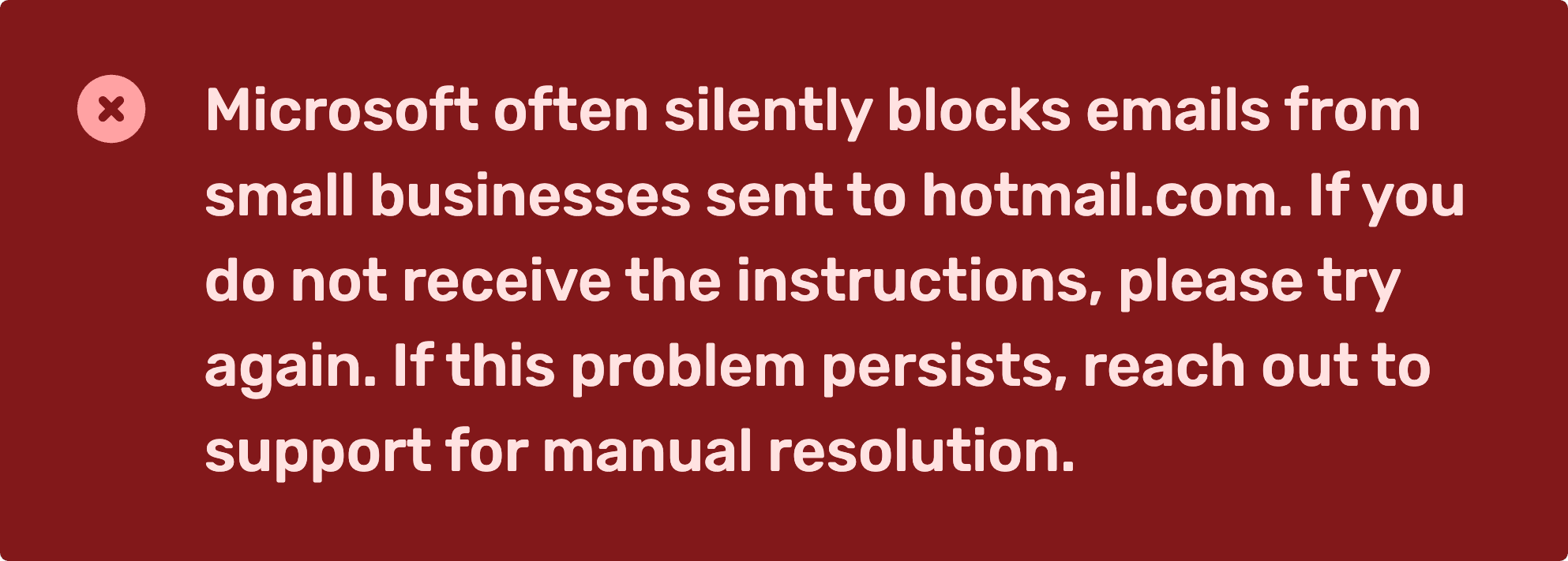
Due to Microsoft's email filtering and whitelisting policies, system-generated emails from Opus Compliance Cloud, such as password reset emails and notifications, may not be delivered reliably to personal email addresses provided by Microsoft.
This includes email addresses ending in:
- @hotmail.com
- @outlook.com
- @live.com
- @msn.com
- as well as most other Microsoft email domains.
Solutions in order of recommendation:
Solution 1
We recommend changing the email address associated with the user's account to a non-Microsoft email address, such as their work email, gmail, or similar.
Users can update their email address here via their profile settings below.
Opus Compliance Cloud: Profile & Settings
User unable to access account?
If the user has forgotten their password and on attempting to reset their password, they have received this error message, please continue to Solution 2 / Solution 3.
Solution 2
Unlink the user's existing account and register them again using a different, non-Microsoft email address. This is a recommended approach, as it helps reduce the likelihood of future email delivery issues and allows the user to receive password reset emails and system notifications more reliably.
Solution 3
If the user has forgotten their password and you do not wish to proceed with Solution 2, Opus Support can delete their existing account, allowing them to create a new one during registration.
Please note: This is the least recommended option, as the user is likely to continue experiencing issues receiving system-generated emails if they re-register using the same Microsoft email address.
E-learning
Can e-learning be translated into other languages?
Yes - browsers such as Chrome and Edge have built-in translation tools that convert e-learning courses on the fly. In both:
Step
Click the more options button () in the top right of the browser.
Step
Find Translate in the options list.
Step
Choose your language in the on-screen display. Your e-learning course is now displayed in the new language.
Where do I find an e-learning certificate?
Go to the employee management page, click on the e-learning name, then click View.
Note
If there's no certificate option, the course was either completed before the function was added in March 2025, or the record was imported from another system, so we cannot certify it. Get in touch if this affects you.
Checklists
Why isn't there an N/A option on checklists?
The main issue is that N/A lets the user decide whether to answer a question at all - and if they do answer N/A, no one will know unless they specifically check the submission history.
Worse, the reason someone reaches for N/A may itself be a serious issue. Take "Are all fire doors closed?": if there are no fire doors, N/A would quietly bury that fact, while a forced No surfaces it for someone to act on.
That's why we require a definitive Yes or No to each question - users stay accountable for their whole checklist.
Multi-choice responses
As of Spring 2026, checklists support multi-choice responses. We can configure bespoke options, such as Equipment not installed on this machine, to not trigger an action. If your site or asset checklists have genuine exceptions, speak to the Opus team and we'll customise them.
How do daily checklist lead times work?
A daily task is created, and the checklist is ready to be re-submitted, 16 hours after the last one was completed (24 hours minus an 8-hour lead time). For example:
Whenever the checklist is done, a task will almost certainly be ready to remind you the next day.
| Checklist completed at | Next task generated at |
|---|---|
| 09:00 | 01:00 |
| 12:00 | 04:00 |
| 17:00 | 09:00 |
How do we handle shift checklists that need completing several times a day?
We recommend adding a different checklist per shift, for example Early Shift Checklist, Late Shift Checklist and so on. That way you can easily see which checklist has been missed, if any.
Can checklists be completed without logging in?
By default, users must log in to complete checklists, so the audit trail stays accurate and it's clear who completed each one.
Where that feels cumbersome and the audit trail is less critical, checklists can be configured to be completed without logging in - but consider the implications:
- Weaker audit trail. Users enter their name manually when submitting, which allows inaccuracies or deliberate misuse, such as entering someone else's name.
- Public access. If a QR code is used to access the checklist, anyone with access to the code - not just employees - could complete it.
We recommend weighing these trade-offs carefully before enabling it. Speak to Opus to find out more.
Requirements and assets
Why can't I archive an individual asset type or role requirement?
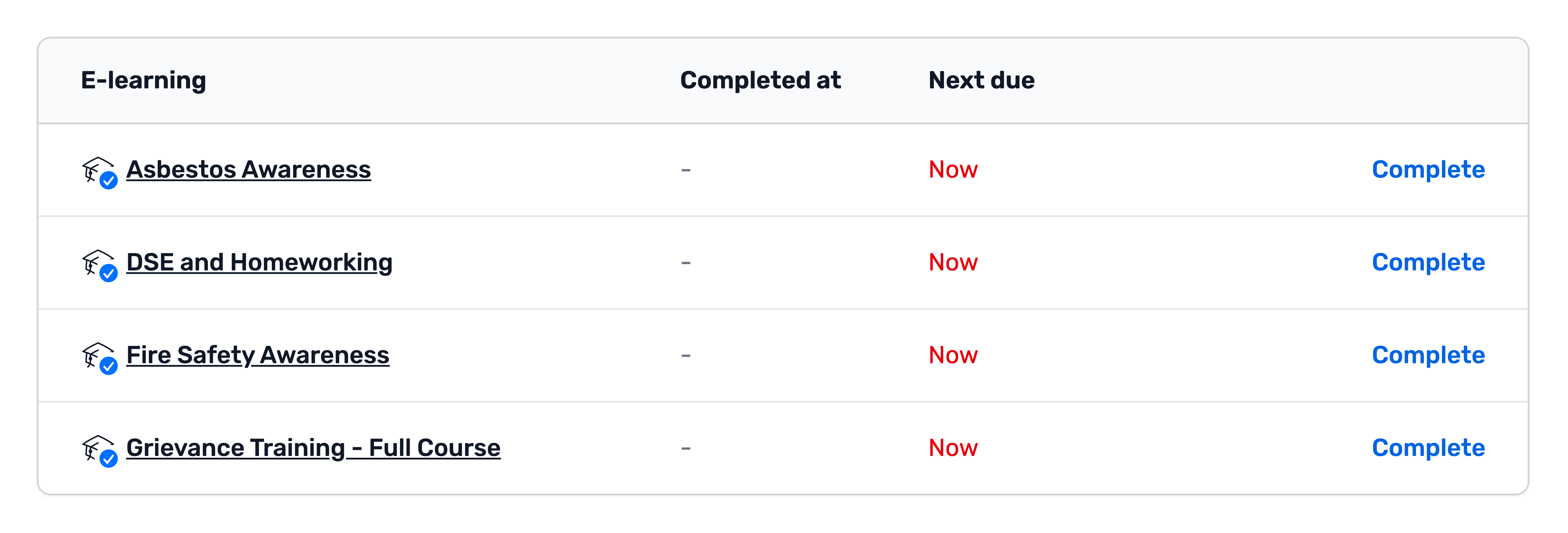
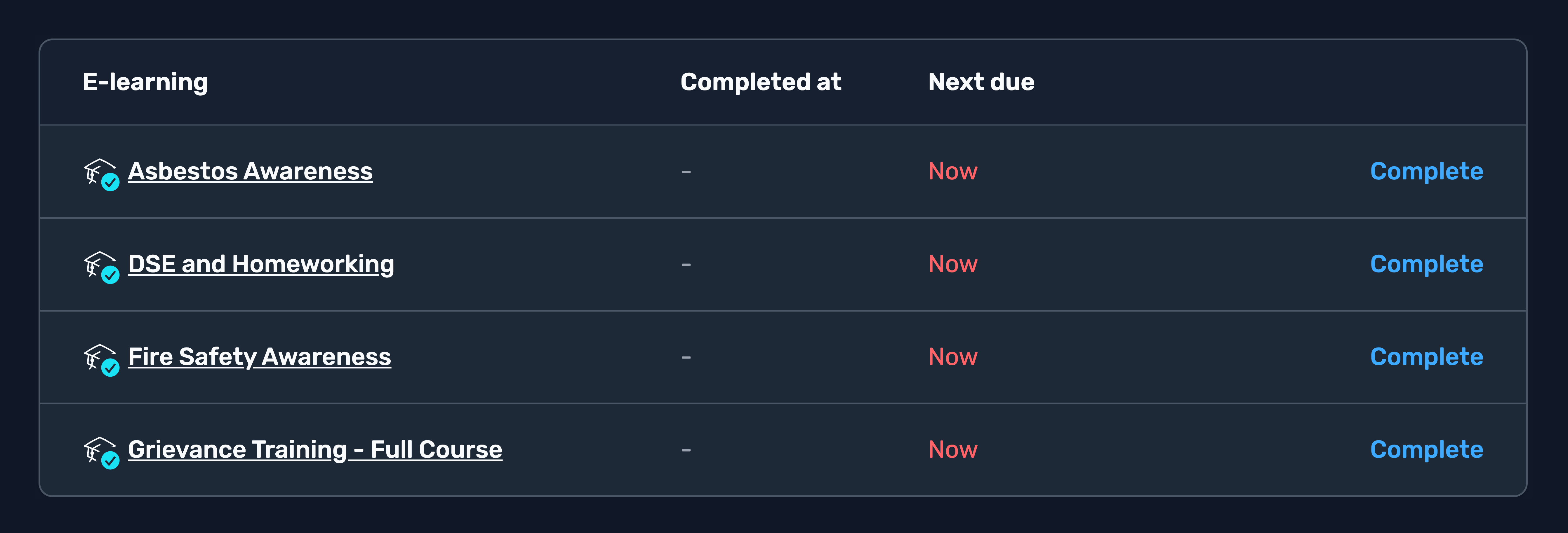
A requirement that comes from an employee role or asset type shows a check symbol () overlaid on its icon. That symbol means the requirement is mandatory as part of the employee's role / asset's type. As a result, the system blocks the ability to archive the requirement.
Why do we do this?
The purpose of employee roles and asset types is to give managers and administrators confidence that:
- Requirements are applied consistently across employees and assets throughout the organisation.
- Requirements can be easily applied to employees and assets.
- Roles and types can be easily edited across the organisation, allowing you to add or remove requirements en masse.
If we allow role or asset-type requirements to be archived for individual employees or assets, this will:
- Introduce per-employee or per-asset exceptions that can accumulate over time, making it increasingly difficult to understand how requirements are being applied across the organisation.
- Make future changes to roles and types organisation-wide more difficult, as these individual exceptions would need to be identified and considered each time the setup is changed.
- Reduce consistency in how requirements are configured and managed across the organisation.
Removing a role requirement flowchart
Use this flowchart to help determine what to do when removing an individual role requirement from an employee.
---
config:
  layout: elk
---
stateDiagram
  direction TB
  classDef question stroke:#7d8590,fill:#9ca3af26,stroke-width:2px;
  classDef action stroke:#16a34a,fill:#22c55e26,stroke-width:2px;
  s1 --> s2:✅ Yes
  s1 --> s3:❌ No
  s2 --> s4:✅ Yes
  s2 --> s5:❌ No
  s4 --> s7:✅ Yes
  s4 --> s6:❌ No
  s7 --> s9:✅ Yes
  s7 --> s8:❌ No
  s1:Is this requirement applied to the employee via a role?
  s2:Does the employee have the correct role(s) assigned?
  s3:Archive the requirement
  s4:Do other employees with this role in your organisation need this requirement?
  s5:Change the employee's role(s)
  s7:Do other employees with this role at this site need this requirement?
  s6:Remove the requirement from the role
  s9:Redefine the roles to support this configuration - for example, move the requirement out of the existing role and into a new, separate +Role
  s8:Remove the requirement from the role at this site (role override)
  class s1,s2,s4,s7 question
  class s3,s5,s6,s9,s8 action
What do I do about MOT for a vehicle that's too new to need one?
Our recommended approach:
Step
Put the vehicle's VRM into the GOV.UK MOT check service to find the date the first MOT is due (other sites are available).
Step
Save the result as an image.
Step
Upload it against the document requirement.
Step
Set the document date to one year before the MOT expiry date, and ignore the warning about a future date being entered if it appears.
This way, a task becomes due when the vehicle is due its MOT.
Tip
For an asset like this it's a good idea to put a notice on it showing the asset QR code, instructing users to complete the pre-use checklist before operating it.
Tasks
Why can't we auto-assign tasks?
Auto-assigning tasks might seem convenient, but there are significant drawbacks:
- Absence or departure of employees. A task auto-assigned to someone off sick or who has left may sit uncompleted without anyone else being aware of it.
- Manager visibility. Auto-assigned tasks don't appear in the manager's inbox, so an outstanding task can go unnoticed.
- Custom messaging flexibility. Without auto-assignment, managers can use custom task messages to direct each task to the most appropriate person while staying informed themselves.
Why don't we use target dates?
Target dates can work against you: lower-priority items get closed out ahead of more serious ones simply because their deadline falls sooner.
Instead, Opus Compliance Cloud automatically orders your actions by severity first, then by age, so the oldest, highest-priority item is always at the top of your list - your team stays focused on what matters most, not just what's due next.
You can of course change the severity of a task if something should be prioritised or de-prioritised.
Why can't we snooze employees?
Users can snooze individual tasks for up to 2 weeks, and users with the Administrator role can snooze for longer to cover extended absences. However, an employee can't be snoozed entirely - only tasks that already exist can be snoozed.
This is intentional. We still want managers to see when tasks become due during someone's absence. For example:
- An employee on maternity leave might use Keeping In Touch (KIT) days to complete e-learning.
- Some courses need booking in advance, ready for when the employee returns.
- Fire Warden or First Aider tasks might highlight a gap, prompting the need to train someone else.
- Checks such as DBS or driving licence checks can be completed even if the employee isn't physically at work.
See Interacting with a task for more on snoozing.
How can administrators snooze tasks for longer periods?
Administrators can snooze tasks for longer to cover extended absences, using a shortcut known as a slash command.
You can snooze a task for a defined duration.
-
ISO 8601 time duration
Examples:
- 3 years - P3Y
- 6 months, 15 days - P6M15D
- 4 hours, 30 minutes - PT4H30M
- 1 year, 2 months, 3 days, 4 hours - P1Y2M3DT4H
- 90 seconds - PT90S
- 0.5 seconds - PT0.5S
Warning
The task won't hide from the inbox unless it is also assigned and less than 3 months old.
Reporting and records
What definition of accident does Opus Compliance Cloud use?
Opus Compliance Cloud defines an accident as an incident that results in injury.
Broader definitions include events causing damage or loss without injury, but we deliberately keep ours narrow: injury events matter most from a human and regulatory perspective, and a tight definition stops accident statistics being diluted by non-injury events that are better captured separately.
Our definition aligns with the principal authorities on the subject.
| Source | Definition |
|---|---|
| HSE - RIDDOR key definitions | A separate, identifiable, unintended incident, which causes physical injury. |
| HSE - HSG245 | An event that results in injury or ill health. |
| IOSH | An occurrence arising out of or in the course of work that results in either: a fatal occupational injury; a non-fatal occupational injury; or work-related disease or ill health. |
| ISO 45001 | An incident in which injury or ill health actually occurs |
Why isn't there a training matrix?
We don't have a specific training matrix output, as it's an outdated way of representing this data:
- Limited flexibility. Training matrices are difficult to filter and analyse.
- Doesn't scale. Even a simple client with 100 employees, 10 e-learning courses and 20 training templates would produce a matrix with 3,000 individual cells - a lot to expect a recipient to sift through.
If you require an export that is equivalent to a training matrix, this can be obtained from the Site Snapshot. Using this reporting tool in-system you can select between Training due or E-learning due, remove the due filter and export this data to CSV. Certification bodies such as CHAS, SSIP and SMAS have been happy to receive training information in this form.
Access and privacy
Why do non-managers see the site inbox?
Preamble
The site inbox displays open, unassigned tasks relating to the site, as well as tasks relating to employees and assets located at that site.
There are two exceptions to this for employees with User access:
- Confidential tasks: Users cannot see tasks marked as confidential, such as incidents, RTCs or employee interventions.
- Tasks relating to other employees: Users cannot see tasks relating to employees they do not manage, such as e-learning reminders for other employees.
All other tasks beyond these exceptions are visible to standard Users in the site inbox.
Why do we expose these tasks to users?
There are two main reasons for this:
- Health and safety: Given the nature of site responsibilities, hiding these tasks from users could impact general health and safety compliance within your organisation. As health and safety software providers, we have a responsibility to promote the principle that health and safety is a collective responsibility, rather than something that sits solely with managers and administrators.
- Transparency: We believe users have a right to know whether these tasks are being completed, even if they are not responsible for completing them themselves, for the following reasons:
- It gives employees the opportunity to flag or raise concerns where tasks are overdue or have not been completed.
- It provides visibility of information that may directly impact their health, safety and wellbeing in the workplace.
Why don't we show the exact last login time or date?
To protect employee privacy and support the UK GDPR principle of data minimisation, exact login timestamps are not displayed. Precise times can reveal working patterns and other potentially sensitive behaviours that are not necessary for day-to-day administration.
Instead, we show time-based buckets - such as Today, Yesterday, This week, or Last week - providing useful oversight without exposing unnecessary personal data.
Login activity is also not a meaningful measure of Health and Safety compliance - one of the primary purposes of Opus Compliance Cloud. Task completion and the other reports available in-system provide a more accurate view of compliance activity.
How does the UK GDPR apply to health surveillance data?
Health surveillance data is classified as special category data under the UK GDPR. To lawfully process this type of data, organisations must identify both a lawful basis under Article 6 and a separate condition for processing special category data under Article 9, supported by the Data Protection Act 2018.